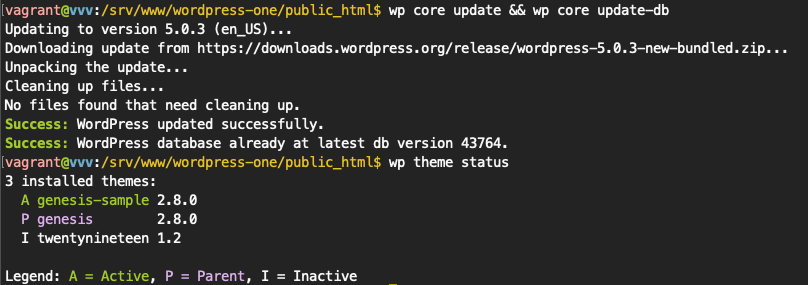
WP CLI had a huge impact on my career, I had the opportunity to chronicle some of my favorite commands on a now archived engineering blog at WP Engine (resurrected the content with Wayback Machine).
WP-CLI changed the game for working with WordPress by providing a command line interface that allows you to quickly and efficiently do WordPress things to WordPress sites. Long ago, doing any of this while not in the admin generally meant you were using MySQL and/or updating files on the fly!
Favorite Commands
wp core
Provides the ability to check, verify, and update WordPress versions.
wp plugin
The ability to print a list of plugins installed as well as their status? Yes, please!
wp plugin update [--all]
Update all your plugins without opening a browser and clicking buttons. After you’ve backed up your site, of course. ;).
wp theme is-installed
Check whether a theme is installed and provide a status, which leads in to…
wp theme install URL [--activate]
Install a theme by slug, local zip, or url, and then activate it.
wp rewrite flush [--hard]
This used to require logging into the site and knowing to re-save your permalinks.
wp search-replace [--dry-run] [--all-tables]
People used to drop a PHP file into their sites to accomplish this. This is a way safer and better workflow.
wp userHonestly don’t remember what we did before. I do know it probably required lots of clicking.
A full list of all the awesomeness is available in the WP-CLI commands documentation.
Contributing
Do you find this interesting or regularly use WP-CLI in your workflow? Make sure to take the time to give back however you can. In addition to code, there are many ways to contribute to the project.